
In today’s fast-paced digital world, finding the best mobile apps can feel overwhelming. Every day, new apps flood the market, promising to make your life easier, more productive, or simply more entertaining. But with thousands of options on Android and iOS, which apps are truly worth your time? From productivity apps to entertainment tools, choosing the right app can save hours, improve focus, and even enhance your mental well-being. This guide dives into the top apps of 2025, highlighting their benefits, practical uses, and why they deserve a spot on your smartphone.
Many users struggle with app overload. They download dozens of apps but rarely use them effectively. The problem isn’t the apps themselves, it’s selecting apps that align with your lifestyle. By understanding which apps serve your needs, you can optimize your smartphone for maximum efficiency. In this article, we’ll explore the best Android and iOS apps, categorized by purpose, and provide actionable tips for choosing the apps that work best for you.
Whether you’re a busy professional seeking task management apps, a student needing note-taking tools, or someone looking for the latest entertainment apps, you’ll find recommendations tailored to your needs. Along the way, we’ll offer real-life examples, step-by-step guides, and helpful comparisons to make your decision easier. By the end of this guide, you’ll have a curated list of apps that truly make a difference in 2025.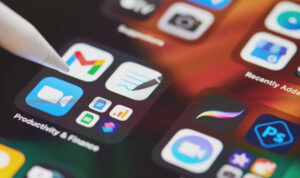
Top Productivity Apps
Productivity apps help you manage tasks, organize projects, and stay on top of deadlines. These apps are essential for anyone looking to maximize their time and efficiency. Here’s a breakdown of the most effective tools you can use today.
Best Note-Taking Apps
Note-taking apps go beyond simple text editors. They allow you to capture ideas, organize information, and even collaborate with others. Apps like Notion and Evernote are widely used for their flexibility and features. Notion, for example, lets you create databases, calendars, and checklists, all in one place. Evernote excels in organizing notes with tags, notebooks, and robust search functionality.
For students, these apps can streamline studying. Imagine scanning lecture slides, annotating PDFs, and syncing notes across devices seamlessly. For professionals, tracking meeting minutes and managing project documentation becomes much simpler.
Task Management & Calendar Apps
Staying organized requires more than just jotting down notes. Task management apps help you prioritize, schedule, and complete tasks efficiently. Popular choices include Todoist, Microsoft To Do, and Google Keep. Todoist offers advanced task prioritization and recurring tasks, while Google Keep integrates with Google Workspace for a seamless experience.
Calendar apps complement task management by visualizing your schedule. Google Calendar and Apple Calendar are staples, offering reminders, event invites, and integration with other productivity tools. For example, setting a task in Todoist can automatically appear in Google Calendar, reducing the risk of missed deadlines.
Time-Saving Utilities
Some apps focus on automating repetitive tasks. Tools like IFTTT (If This Then That) allow you to create simple automation rules, such as saving email attachments directly to cloud storage. Other utilities like Microsoft Lens scan documents and convert them into editable text, saving hours of manual work.
Real-life example: A freelance designer can automatically save client emails, extract attachments, and organize them in folders, all without touching the keyboard. These apps not only save time but also reduce mental clutter, improving focus and efficiency.
Best Entertainment Apps
Entertainment apps offer a break from work and provide fun, relaxation, and inspiration. With streaming, gaming, and music apps, your smartphone becomes a portable entertainment hub.
Streaming & Video Apps
Streaming apps like Netflix, Disney+, and YouTube dominate the video space. They provide on-demand access to movies, series, and user-generated content. Disney+, for example, is perfect for family entertainment, offering kid-friendly options and exclusive content. YouTube remains a versatile platform for tutorials, vlogs, and educational content.
Pro tip: Many streaming apps offer offline downloads. Planning your entertainment in advance ensures you’re never without content during commutes or travel.
Gaming Apps Worth Downloading
Mobile gaming has evolved, offering experiences rivaling console gaming. Games like Genshin Impact, Among Us, and Call of Duty Mobile combine high-quality graphics with engaging gameplay. Casual games such as Candy Crush or Subway Surfers remain popular for quick stress relief.
Tip: Balance your gaming with productivity apps. Setting app timers or using built-in phone focus modes can help manage screen time without sacrificing enjoyment.
Music & Podcast Apps
Music apps like Spotify, Apple Music, and YouTube Music allow you to listen to millions of tracks on the go. Playlists, algorithmic recommendations, and offline listening make it easy to enjoy music anywhere. Podcasts are increasingly popular, with apps like Pocket Casts and Castbox providing educational content, storytelling, and expert interviews.
Example: Commuters can turn a daily travel routine into a learning opportunity by listening to productivity podcasts while still enjoying their favorite playlists.
Must-Have Apps for Android Users
Android users benefit from a highly customizable ecosystem. Apps that enhance performance, security, and usability are essential for a smooth experience.
Free Android Apps
Some of the top free apps include Google Keep for note-taking, Snapseed for photo editing, and Pocket for saving articles. These apps are versatile and provide significant value without costing a dime.
Premium Android Apps
Paid apps often offer advanced features. Nova Launcher provides a highly customizable home screen experience, while Tasker automates complex workflows. Investing in these apps can drastically improve efficiency and personal productivity.
Must-Have Apps for iOS Users
iOS users enjoy seamless integration with Apple’s ecosystem. Essential apps optimize productivity, creativity, and entertainment.
Free iOS Apps
Key free apps include Apple Notes for intuitive note-taking, VSCO for photo editing, and Overcast for podcasts. Apple Notes syncs across devices, making it ideal for users heavily invested in iCloud.
Premium iOS Apps
Paid apps like Things 3 (task management) and Bear (note organization) offer premium features for power users. These apps justify their cost by significantly improving workflow efficiency and organization.
Emerging Mobile App Trends in 2025
Understanding trends helps you stay ahead. Mobile apps in 2025 are increasingly focused on AI, health, and remote work.
AI-Powered Apps
AI integration enhances app functionality. Apps like ChatGPT for mobile assist with writing, brainstorming, and problem-solving. AI-driven photo editors and personal assistants are becoming mainstream, improving usability and customization.
Health & Fitness Apps
Health apps track physical activity, monitor sleep, and provide personalized recommendations. MyFitnessPal, Strava, and Headspace combine tracking with motivation, encouraging a healthier lifestyle. Users can integrate wearable devices for more accurate insights.
Apps for Remote Work
Remote work apps are critical in today’s professional environment. Slack, Zoom, and Trello streamline communication, project management, and collaboration. Combining these apps with productivity tools like Notion or Todoist ensures seamless workflow even outside the office.
Tips for Choosing the Right Apps for You
With so many apps available, selecting the right ones can be tricky. Start by identifying your needs: productivity, entertainment, or lifestyle. Then evaluate each app based on usability, features, and compatibility with your device.
Security & Privacy Considerations
Always check an app’s permissions before downloading. Avoid apps that request unnecessary access to your contacts, location, or files. Trusted apps from the Google Play Store or Apple App Store generally have higher security standards. For example, password managers like 1Password or LastPass use encryption to protect sensitive information.
App Ratings & Reviews
Before downloading, read user reviews and ratings. High ratings usually indicate reliability, but focus on recent reviews for up-to-date feedback. Look for reviews mentioning stability, speed, and customer support. This prevents wasting time on apps that no longer perform well.
Compatibility & Device Performance
Ensure apps are compatible with your operating system and device specifications. Some high-end apps require more RAM or the latest OS version. For example, mobile gaming apps like Genshin Impact perform best on devices with sufficient processing power and storage.
Featured FAQ
What are the best free mobile apps for productivity?
Apps like Google Keep, Todoist, and Notion provide excellent free productivity tools for task management and note-taking.
Which apps are best for entertainment in 2025?
Streaming apps like Netflix and Disney+, gaming apps such as Genshin Impact, and music apps like Spotify dominate entertainment choices.
Are premium apps worth the cost?
Premium apps often offer advanced features, improved usability, and better support. Investing in apps like Things 3 or Tasker can significantly enhance productivity.
How can I ensure an app is safe to download?
Download apps from official app stores, check permissions, and read recent reviews. Trusted sources reduce the risk of malware or data breaches.
Can AI-powered apps improve my daily workflow?
Yes. AI-powered apps like ChatGPT for mobile can help with writing, brainstorming, and automating repetitive tasks, boosting efficiency.
Which apps are recommended for health and fitness?
MyFitnessPal, Strava, and Headspace offer tracking, personalized insights, and motivation to maintain a healthy lifestyle.
How do I manage multiple apps without distraction?
Use focus modes, app timers, and task management tools to balance productivity and entertainment. This helps reduce digital clutter.
For Further Reading
Performance-enhancing apps for Android – Explore more productivity apps specifically for Android users.
macOS tips and tricks – Enhance your Mac experience with essential apps and features.
GPT-5 impact on AI – Learn how AI-powered apps are shaping the future of mobile technology.
Final Thoughts
Choosing the best mobile apps in 2025 requires understanding your goals and the tools that fit your lifestyle. Whether you focus on productivity, entertainment, or health, selecting high-quality apps can transform your smartphone into a powerful personal assistant. By leveraging AI, automation, and cross-platform compatibility, you can enhance efficiency, enjoy seamless entertainment, and maintain balance in your daily life. Remember to prioritize security, read reviews, and test apps to find the perfect combination that suits your needs. Your ideal mobile setup is just a few downloads away.